

✨ Key Takeaways
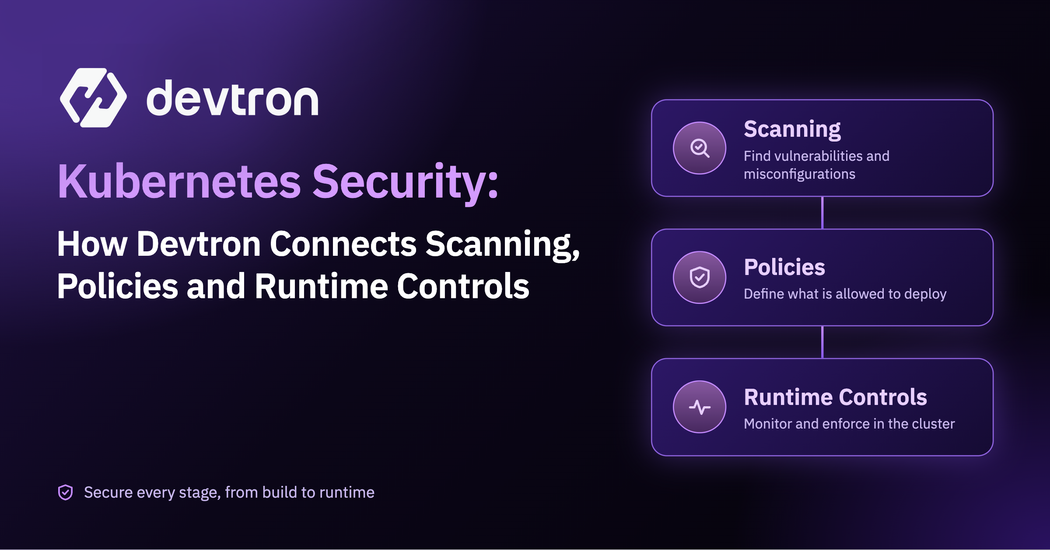
Kubernetes security has multiple layers because no single control covers the entire delivery and runtime lifecycle.
In Devtron, scanning runs at three points in the pipeline: before build (source code), after build (the image), and before deploy (the image and Kubernetes manifests, including Helm apps). Pass/fail conditions can halt the pipeline.
Admission control is enforced by a Kubernetes policy engine such as Kyverno or OPA Gatekeeper. Devtron does not replace that engine; it provides a centralized workflow to deploy, inspect, verify and roll out policies across clusters.
Runtime threat detection is handled by specialist tools such as Falco or Tetragon. Devtron does not replace those tools; it provides workload context and operational controls that help teams investigate and respond.
The value is not putting every security capability into one product. It is connecting the controls that belong at different points in the Kubernetes delivery lifecycle.
RBAC, SSO and audit logs provide the access and evidence layer around these controls.
Introduction
A Kubernetes workload can pass every security check in the delivery pipeline and still become a risk later. A direct kubectl apply can bypass pipeline gates. A new CVE can affect an image after it has already been built and deployed. And unexpected behavior may only become visible once a workload is running.
That is why Kubernetes security is usually built as a set of complementary controls:
- Scanning - helps identify risks in code, images and manifests before deployment.
- Pre-deployment controls - decide whether a release should be allowed to move forward.
- Admission control - enforces rules at the Kubernetes API server, including for changes that do not pass through a CI/CD pipeline.
- Runtime security - detects suspicious or unexpected behavior after workloads are running.
Devtron does not replace the specialist tools behind every layer and it does not need to.
It provides security controls directly in the software delivery workflow, while also giving teams a centralized way to deploy, manage and inspect complementary Kubernetes security tools such as Kyverno.
In this post, we break down how these layers work together and show how Devtron helps connect security controls across the Kubernetes delivery lifecycle.
For the broader foundations (access control, secrets, scanning and monitoring), see our earlier post on the 4 pillars of securing Kubernetes CI/CD.
The Security Layers in One Minute
A rule of thumb worth keeping: prevent as early as you can, enforce at every door, and detect at the end.
The rest of this post walks the pipeline stage by stage and shows what Devtron does at each one.
Stage 1: Before the build (code scanning)
The problem
Leaked secrets, risky licenses and misconfigurations are cheapest to fix before an image exists. A secret caught in source never reaches a registry.
How Devtron handles it
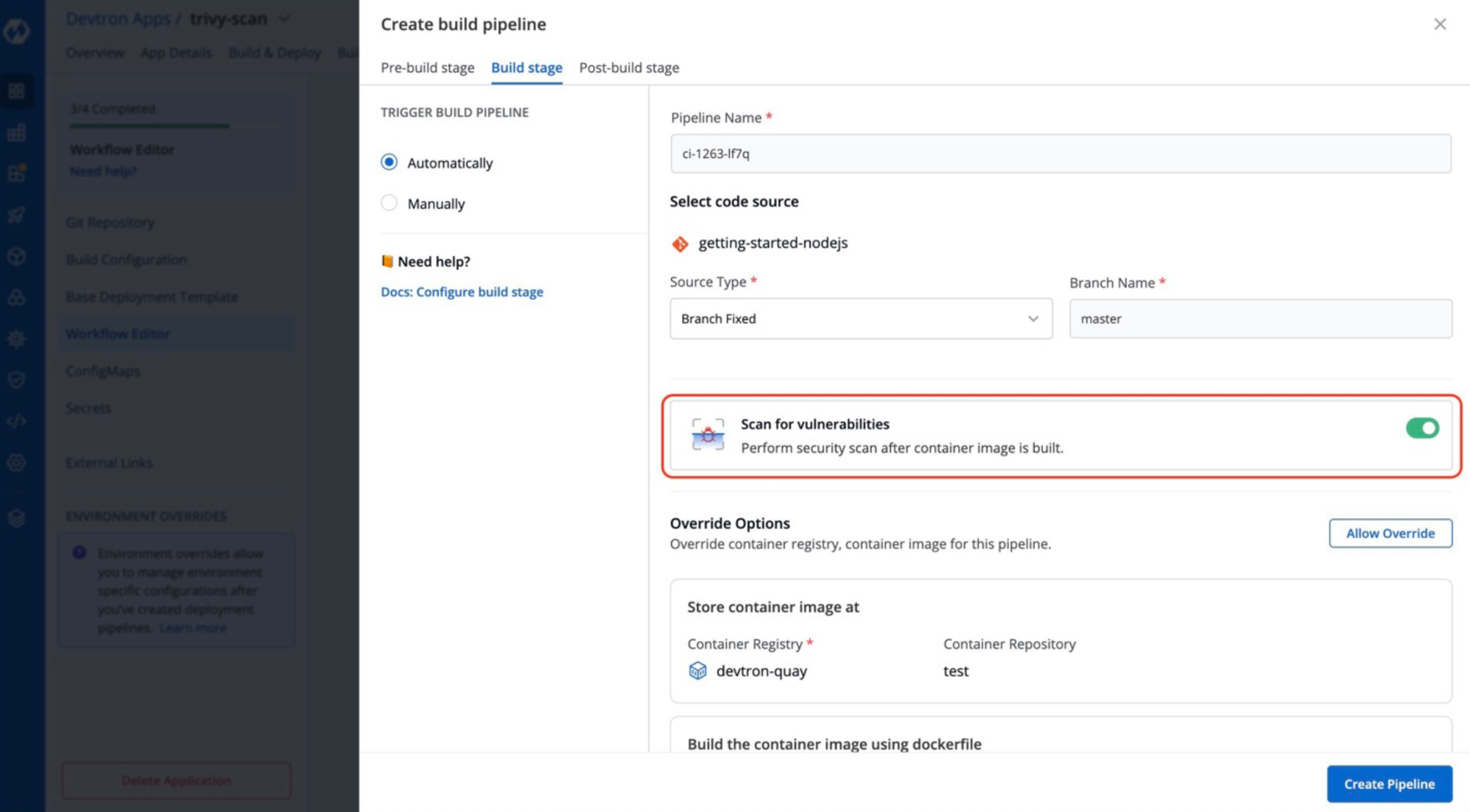
Devtron's Code Scan plugin uses Trivy to scan source code for vulnerabilities, license risks, misconfigurations and exposed secrets. You add it as a pre-build task in the CI pipeline of your Devtron app, so the scan runs as part of the build workflow without requiring a separate manual scanning step or script. Results appear in the App Details page under Code Scan.
You can set pass/fail conditions, so a pipeline stops when findings cross the threshold you choose instead of relying on someone to read a report.
Stage 2: After the build (image scanning).
The problem
An image bundles an OS base layer and dozens of dependencies you did not write. Any of them can carry a known vulnerability.
How Devtron handles it
After the image is built, Devtron runs an Image Scan on it. Integrates Trivy (recommended) and Clair out of the box. Trivy covers images, Kubernetes manifests and source code, while Clair covers container images. Scanning is pluggable, so you can bring other tools, such as AWS Inspector, through the same framework, and their findings show up in Devtron the same way as Trivy and Clair results.
Findings, including CVE, severity and affected packages, appear in the Image Scan section of App Details and in the Security tab of the build and deployment history. If you already use Jenkins, GitLab or GitHub Actions for CI, the Vulnerability Scanning plugin can run in a Devtron Job pipeline, so you keep your CI tool and still get scanning and policy enforcement in Devtron.
Again, the distinction matters:
The scanner identifies the vulnerability and Devtron integrates that result into the delivery workflow and can enforce the resulting decision.
Stage 3: Before deploy (policies, approvals and windows)
This is where Devtron's own deployment controls become especially important.Scanning produces findings. This stage turns those findings and organizational requirements into deployment decisions.
Pre-deployment scanning
Before a deployment, Devtron runs a pre-CD check on the image and on the Kubernetes manifests, so insecure settings in your YAML are caught as well as vulnerable packages.
For Helm apps, you enable the Security Scan option and Devtron scans the chart's images and manifests, with results in the deployment history.
Security Policies: findings that act
A scan result nobody enforces is just a report. Devtron Security Policies automatically allow or block a deployment based on the severity of the vulnerabilities found.
- Policies can be set at four levels: global, cluster, environment and application.
- Lower levels can Block, Allow, or Inherit from the level above. That lets you set a strict default globally, relax it for a dev cluster, and keep production on the strictest setting.
- You can add CVE-specific policies, so an accepted risk is a deliberate, visible decision instead of a quiet bypass..
Approval Policy: people in the loop where it matters
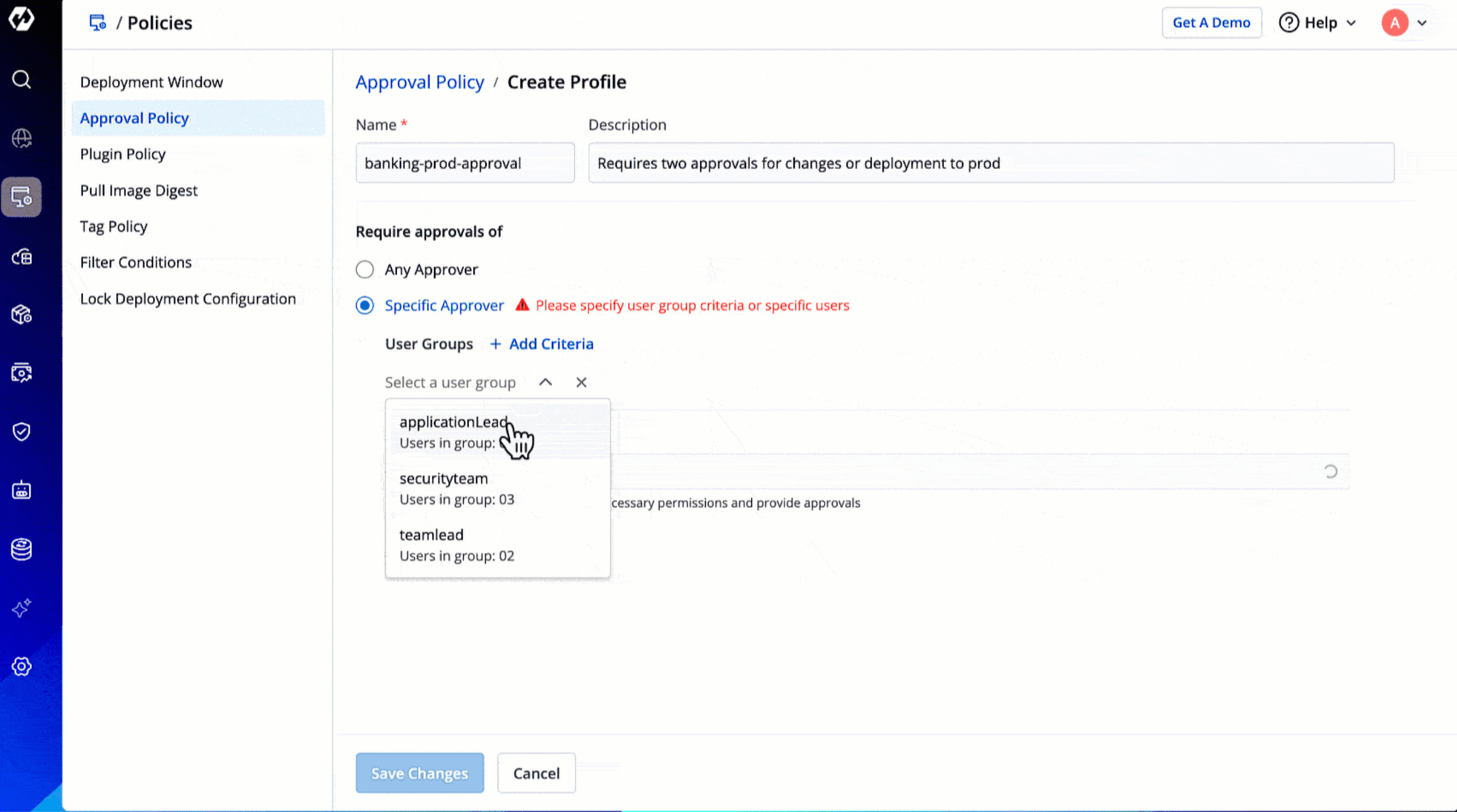
Devtron's Approval Policy controls four kinds of change: deployments to an environment, deployment templates, ConfigMaps and Secrets. That matters because many incidents come from a changed config, not a changed image.
- Scope: apply a policy to specific applications and environments, to everything that matches a set of criteria (including pipelines created later), or globally.
- Who approves: any user with the Image Approver or Configuration Approver permission (you set how many approvals are needed), specific user groups, or named individuals whose approval is mandatory.
- No self-approval by default: approvers cannot approve their own deployments or base configuration edits unless they have been explicitly added to an exceptions list.
- Only super-admins can create and apply policies, so the people being governed cannot loosen the rules.
Deployment Window: time-based control
Devtron's Deployment Window policy defines:
- Blackout windows - when deployments are not allowed.
- Maintenance windows- when deployments are allowed only during defined periods.
When both apply, the blackout takes priority.
During a blocked period, Devtron prevents deployment, rollback, hibernation, restarting workloads, deleting workloads and deleting a CD pipeline. Super-admins can name exempt users or groups for real emergencies, and you can show a custom message explaining why the window is closed. You configure windows under Application Management → Policies → Deployment Window and apply them to application and environment combinations.
Together, these controls govern what can move through the delivery workflow, when it can move, and who must approve it.
Stage 4: At the cluster door (admission control)
The problem
Pipeline policies only apply to what goes through the pipeline. A direct kubectl apply, a rogue Helm install or a script with cluster access can skip every gate you built. Admission control closes that gap because it runs at the Kubernetes API server and sees every request.
This makes it possible to enforce rules even when a request did not originate from your delivery pipeline.
The tools behind it
Admission control is done by a policy engine running in the cluster: Kyverno, OPA Gatekeeper, or Kubernetes’ built-in options such as Pod Security Admission and ValidatingAdmissionPolicy.
Devtron Security Policies are a different control. They gate deployments that go through Devtron, not requests that reach the API server directly.
Devtron is not an admission controller and does not replace one.
What Devtron Adds
Devtron adds the workflow around that policy engine, which is often the painful part:
- Install without leaving the platform - You can install the Kyverno CRDs from Devtron's built-in terminal for the cluster (Clusters → select the cluster → Terminal).
- Create policies visually - In the Resource Browser, use Create Resource to paste Kyverno policy YAML and apply it from the UI, instead of running commands by hand.
- See and verify - Policies appear in the Custom Resource section, and you can test enforcement with kubectl commands in the in-browser terminal.
- Debug and compare - Resource-level diffs and side-by-side configuration comparison make it easier to see what changed between clusters or versions.
- Roll out across clusters - Because Devtron manages multiple clusters from one place, applying the same policy to several clusters is far less error-prone than doing it cluster by cluster.
For a step-by-step walkthrough, read our guide to enforcing Kyverno policies with Devtron.
Stage 5: While it runs (runtime security)
The problem
No earlier stage can predict everything. A workload can behave badly after a clean scan and a passing admission check: a shell opens inside a container, a process reads files it should not, or a new CVE is published against an image that is already deployed.
The tools behind it
Syscall-level threat detection is a specialist job done by tools such as Falco or Tetragon, which run alongside Devtron. Devtron does not replace them.
What Devtron adds
Detection is only part of the response. Once an alert fires, teams need context to investigate and control ways to take action. That's where Devtron can help with :
- Scan results on live workloads- You can reach vulnerability results from workload inspection in App Details or from the Resource Browser, so you can see what is wrong with what is actually running, not just what was scanned at build time.
- One place for triage - Logs, events, deployment history and a terminal for the affected workload sit together, so an investigation does not start with five browser tabs.
- Fast, controlled rollback - Once you know which release introduced a problem, you can roll back from the same place. Rollbacks are covered by Deployment Windows, with exemptions available for emergencies.
- Agentic SRE- Devtron's AI Operations offering, Devtron Atlas is designed to monitor, detect and respond to incidents using human-approved runbooks.
The thread that ties it together: access, secrets and audit
Controls only mean something if you know who can change them and what happened.
- RBAC at cluster, namespace, application and resource level, with environment-specific permissions.
- SSO with Okta, Keycloak and OIDC.
- Break-glass procedures for emergencies, with the access still recorded.
- Audit logs for deployments, configuration changes and user actions, which gives you evidence for compliance reviews.
- Secrets management through integrations with HashiCorp Vault, AWS Secrets Manager and External Secrets Operator.
- Air-gapped support, including offline vulnerability databases, for regulated or isolated environments.
The whole picture on one page
A walk-through: one release, five checkpoints
Imagining a team shipping new payments service through Devtron.
- Pre-build: The Code Scan plugin finds an API key committed in a config file. The build fails, and the developer removes the key and rotates it.
- Post-build: The image scan reports a critical CVE in the base image. Security Policy for the production environment is set to block critical findings, so the image cannot be promoted. The developer updates the base image.
- Pre-deploy: The manifest scan flags a missing security setting, which is fixed. Production's Approval Policy requires two approvers, and the requester cannot approve their own release. A maintenance window limits when the deployment can happen.
- Admission: Weeks later, someone tries to apply a privileged pod directly to the cluster. The pipeline never sees it, but the Kyverno policy deployed through Devtron rejects it at the API server.
- Runtime: A newly published CVE affects a library in the running service. The team sees the finding against the live workload, ships a patched image through the same governed pipeline, and the audit log records every step.
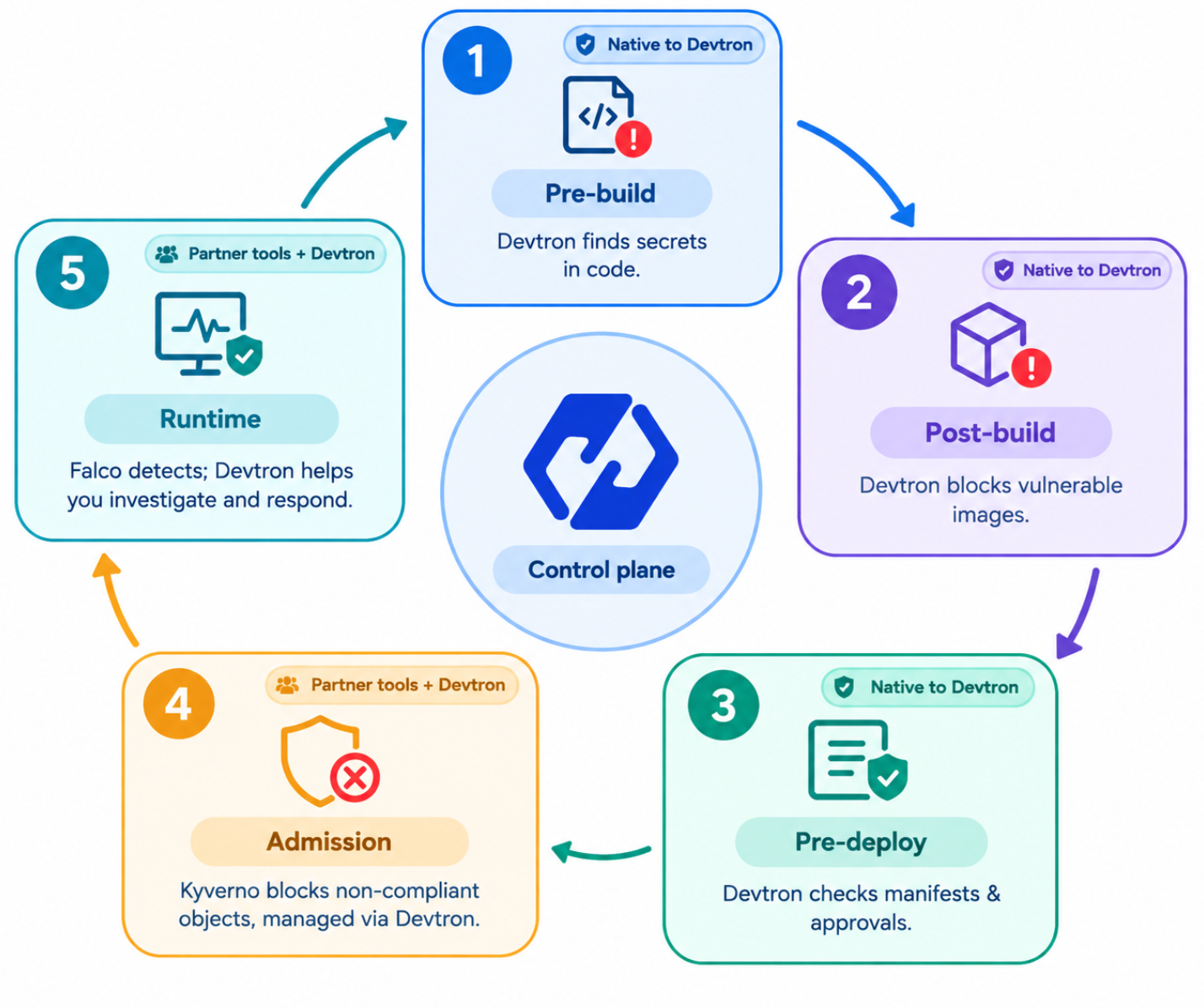
The point isn't to make one tool responsible for every security layer. It's to connect the right controls at the right stage, with Devtron providing the workflow and operational context that ties them together
Common mistakes to avoid
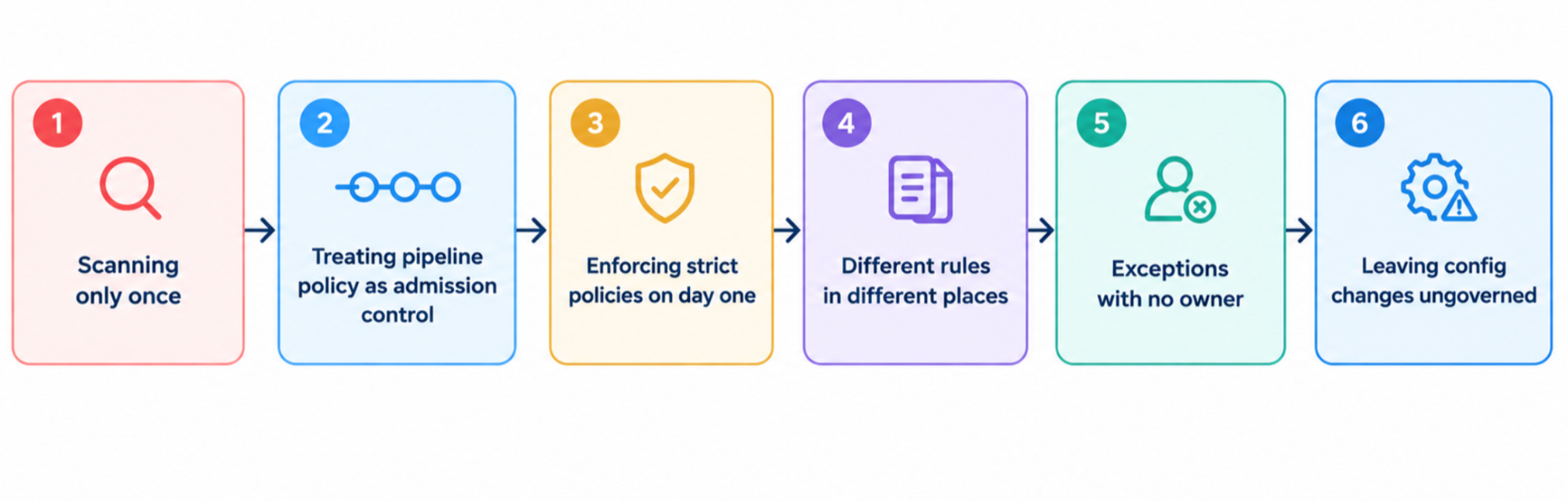
- Scanning only once - New CVEs appear after you ship, so review findings on live workloads and keep policies current.
- Treating pipeline policy as admission control- Pipeline gates only apply to pipeline traffic. Add an in-cluster policy engine for everything else.
- Enforcing strict policies on day one- Start in audit mode, learn what would break, then enforce.
- Different rules in different places- Use global policies with environment-level overrides so exceptions are visible.
- Exceptions with no owner- Use CVE-specific policies and the approval exceptions list deliberately, and review them regularly.
- Leaving config changes ungoverned - A changed ConfigMap or Secret can do as much damage as a changed image, which is why Approval Policy covers both.
Conclusion
Image scanning tells you what you are shipping. Admission control decides what is allowed in. Runtime security tells you what is happening now. The aim is not to choose one, but to place each control where it works best and apply the rules consistently on every path to production.
Devtron covers the pipeline side, with scanning at three stages, policies that block by severity, approvals, deployment windows, RBAC and audit logs. On the cluster side, it does not replace specialist tools such as Kyverno or Falco. It gives you one place to deploy, inspect and verify them across every cluster you run, and to act quickly when they flag something.
Want to see it in action? Try Devtron free or book a demo to see security policies, approvals and deployment windows working together in your pipelines.